

Where to find files
You can view and manage your files in the Files tab. From here you can browse all project files, upload new documents, and see what the agent has saved.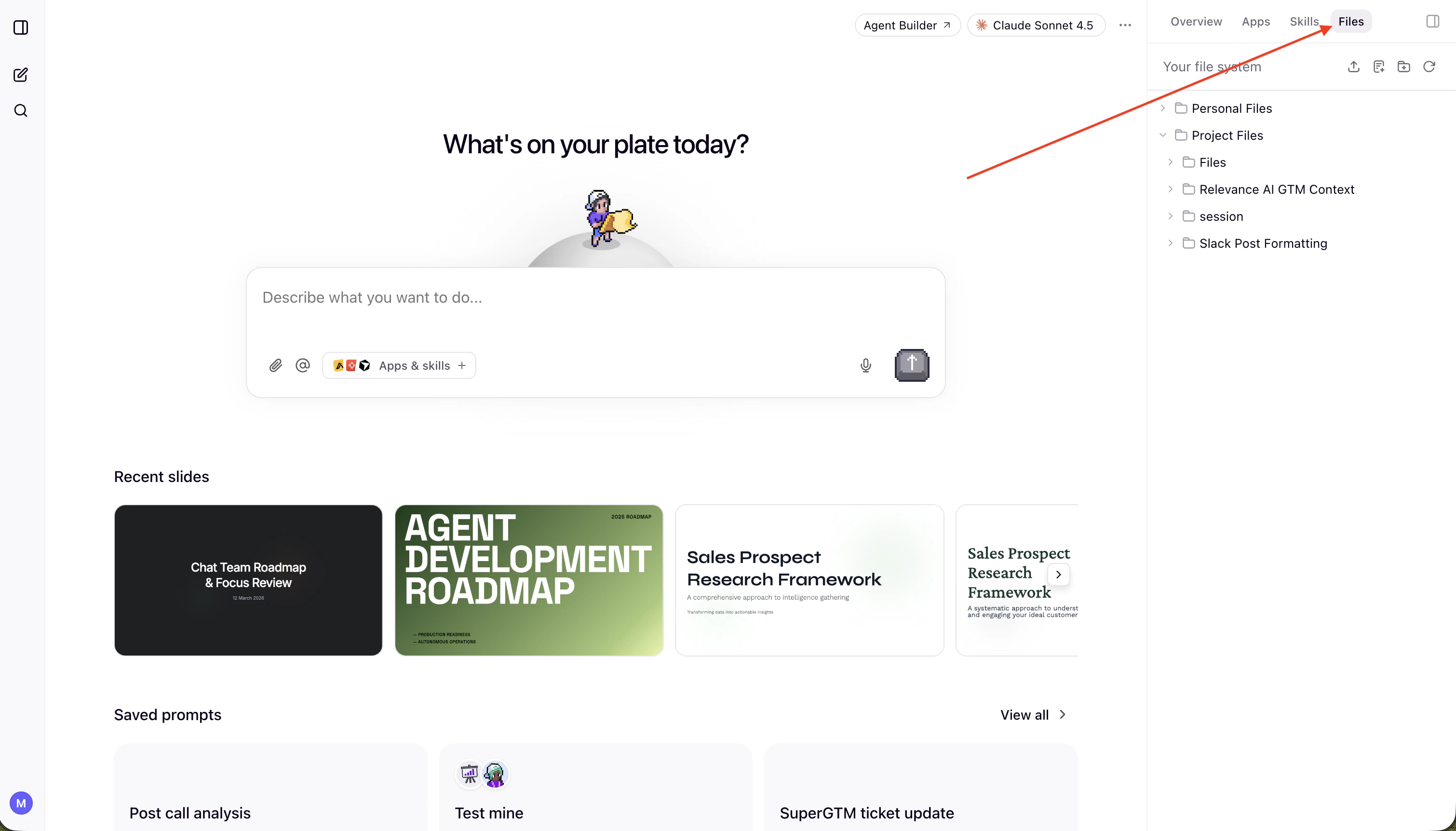
Key areas
- Project files
- Session files
Persistent storage shared across your project. This is where shared knowledge lives — company context, reference documents, templates, and anything the team needs access to across conversations.To add something to project files, just ask the agent:
“Save this report to the project files”
“Create a document in project files called Q3 Campaign Brief”You can also ask the agent to read, search, or update anything already stored there:
“What’s in the project files?”
“Find the competitive analysis in project files”
“Update the onboarding checklist with the new step”Project files are managed by project admins.
How skills use the file system
Skills can optionally pull context from the file system. Each skill can have its own/references or /assets folder for skill-specific context, or reference shared project files when the same document is relevant across multiple skills.
When a skill runs, the agent fetches the relevant files at that moment — you can update a reference file once and all skills that use it pick up the new version automatically.
This is useful for storing things like:
- Templates that skills use as a starting point
- Reference documents (brand guidelines, process docs, competitive intel)
- Deliverables the agent produces that should persist across conversations
- Ways of working that the whole team should follow